
Plan a tripin many variants
Already have an account? Log in here
My Next Adventure is a travel planning app with the key aim to help comparing different options that answer questions like:
"what if we drive instead of flying?"
"what if we stay for 2 more days?"
"what if we add another destination to our trip?"
"what if only the 2 of us go vs. we take the children and grandparents?"
Built for the AI era
Your AI can plan a trip.My Next Adventure is where the plan lives, gets compared, and gets decided.
Open-source CLI, 64 commands
RecommendedBuilt for AI agents — a ready-made Claude Code skill ships in the package — and just as happy in a human's terminal, where every command takes --json.
npm install -g @mantacodedevs/mna-cli
# or: brew install mantacodedevs/tap/mna

mna login
mna trips list
Hosted MCP server, 24 tools
No terminal needed — point Claude Desktop, claude.ai or ChatGPT at one URL and your assistant builds the trip itself. Streamable HTTP.
Setup guide for every client →https://mcp.mynextadventure.cloud/mcp
Authorization: Bearer <your API key>Paste a link or a screenshot
Drop in a booking URL, or a screenshot of one, and we read it into a structured option on the trip you pick.
Runs in the web app. Not over MCP or the CLI yet.
We don't write the itinerary — your assistant is better at that than we are. The web app, API, CLI and MCP server are all in the free tier.
How it works
Seven steps from "somewhere warm in October, maybe" to a decision everyone going can live with.
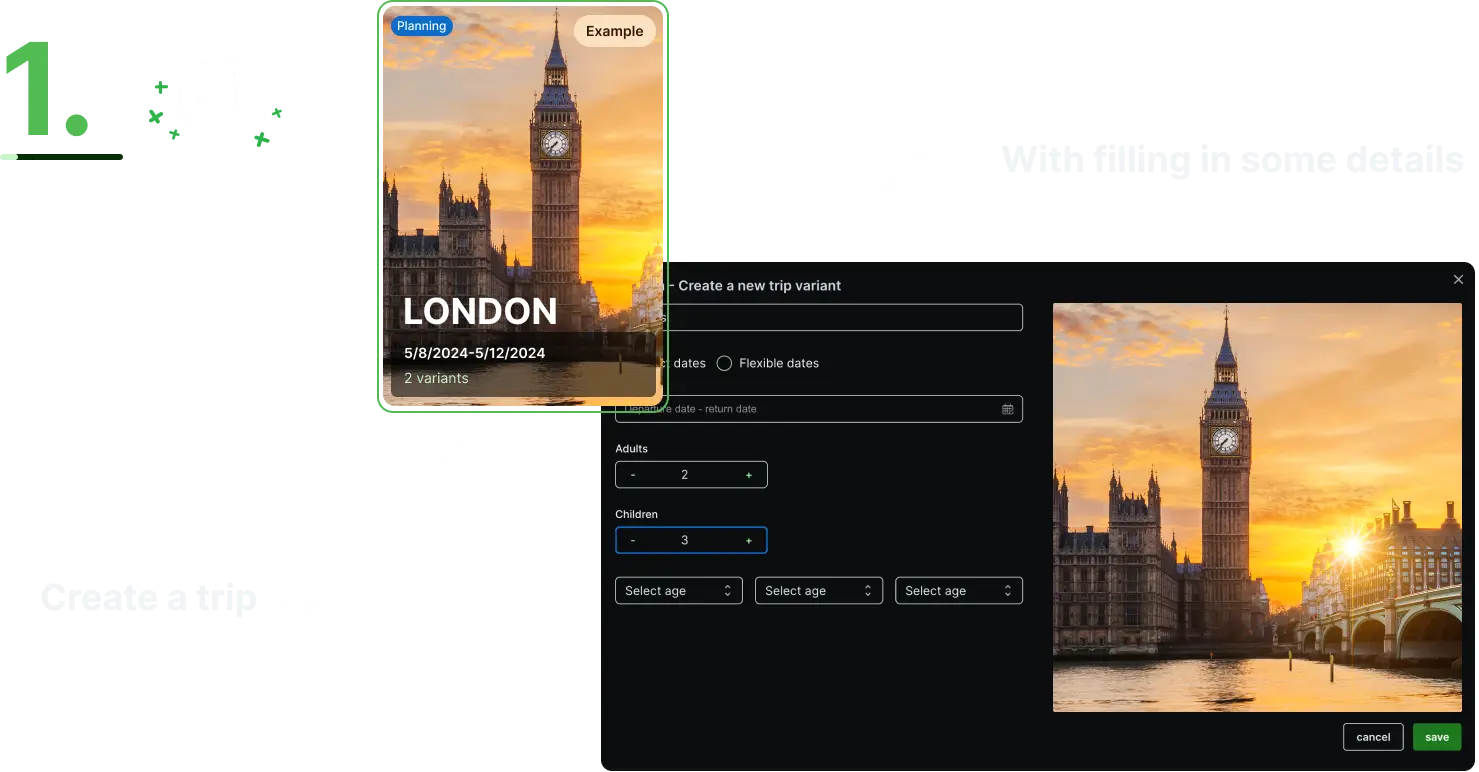
1. Start a trip with what you already know
A trip needs a name, a rough set of dates and who is coming. Dates can be fixed or flexible, and children are counted with their ages, because that is what changes the price of almost everything.
Nothing here is a commitment. Most trips in the app start as "somewhere warm in October, maybe" and get specific later.
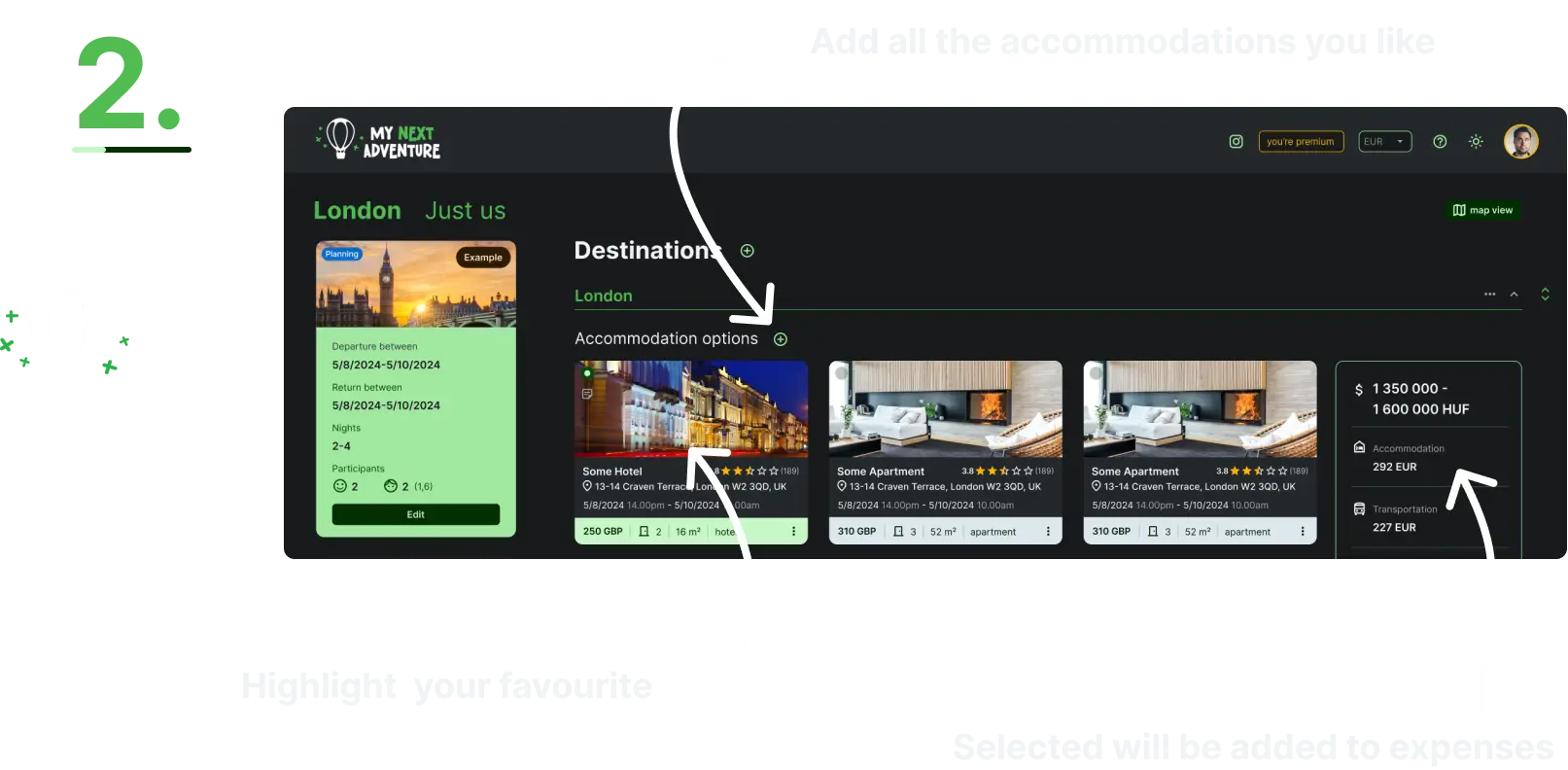
2. Add every place you are considering, not just the winner
Add all the hotels and apartments still in the running — each with its price, dates, size and review score — and mark the one you currently favour. Only the marked one counts towards the total.
The rejected ones stay on screen, which is the whole point. In three weeks you will want to know why you ruled one out, and a spreadsheet cell that got overwritten cannot tell you.
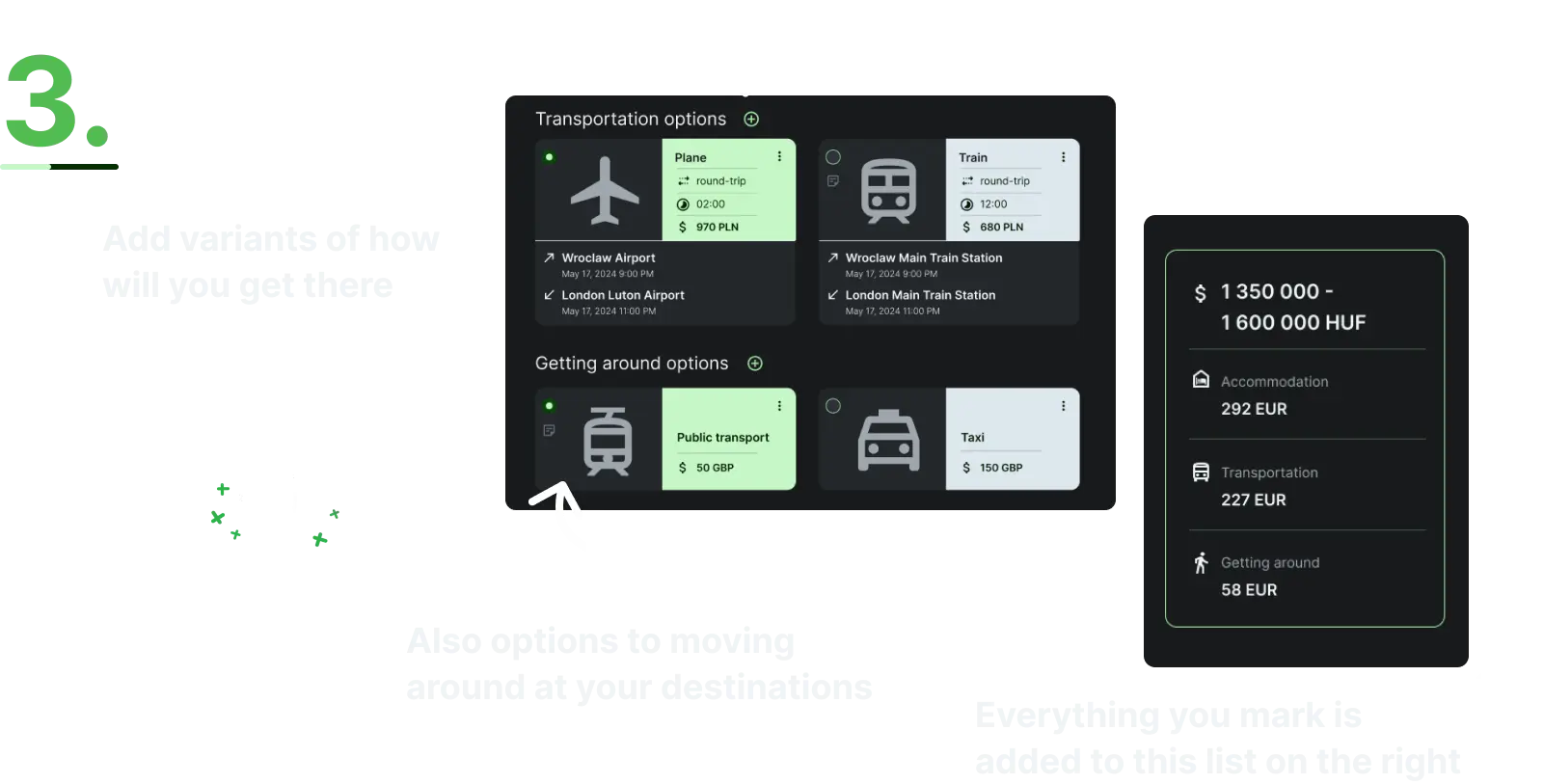
3. Compare how you get there and how you get around once you arrive
Transport is the flight, the train, the car or the ferry. Getting around is what you use after you land: public transport, a taxi, a rental car, a bike.
Keeping the two apart is what makes an honest comparison possible. The cheap flight that needs a rental car for a week is often not the cheap option, and you can only see that when both numbers sit in the same plan.
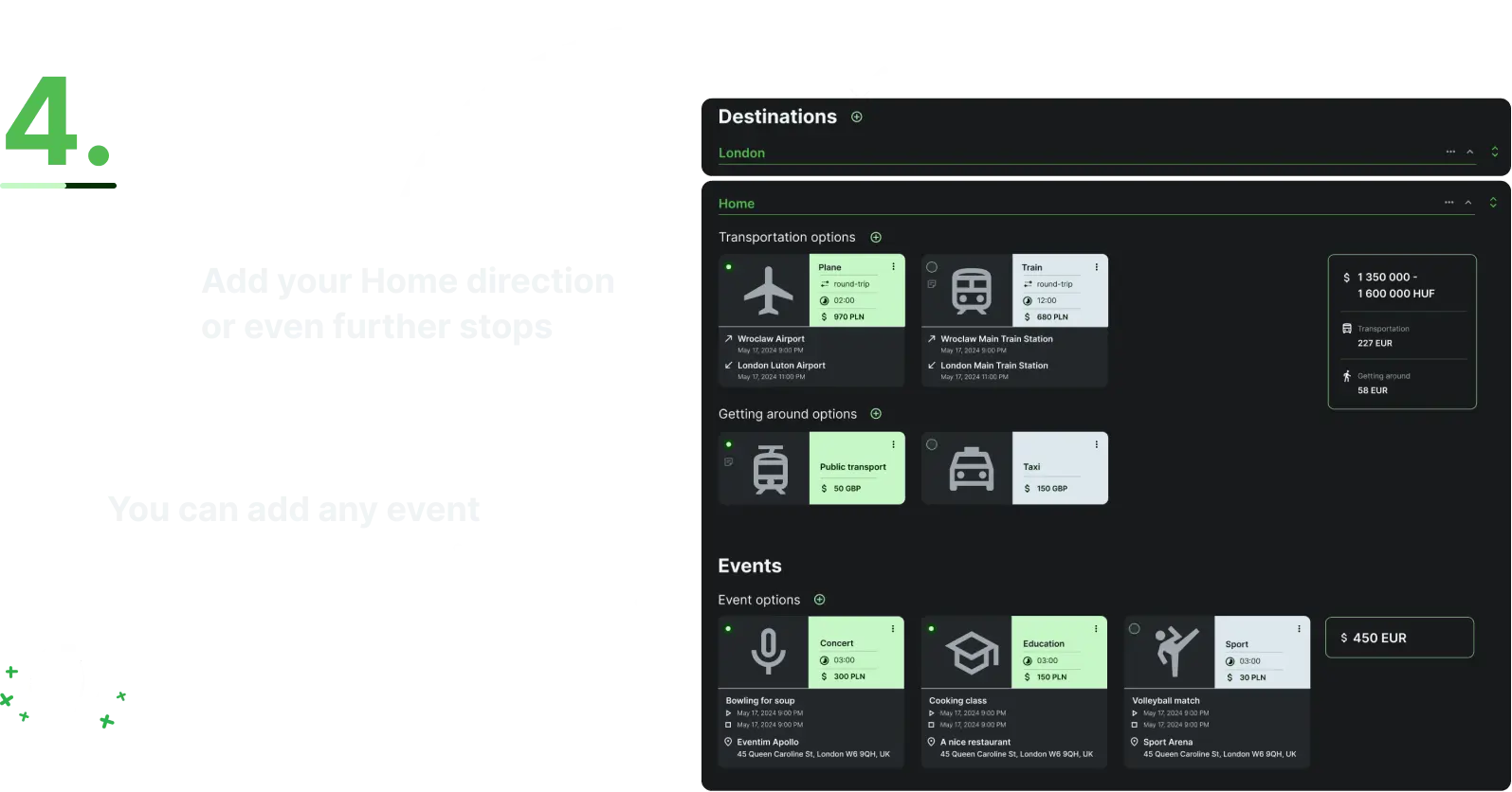
4. Add the leg home, further stops, and the things you actually want to do
Destinations are ordered, each with its own dates, accommodation and transport, and the journey home is just another one of them. Two-city breaks and road trips are first-class here, not something you approximate with separate trips.
Events sit alongside them: the concert, the cooking class, the match. They have their own times and prices, so a "cheap" week with three ticketed events stops looking cheap.
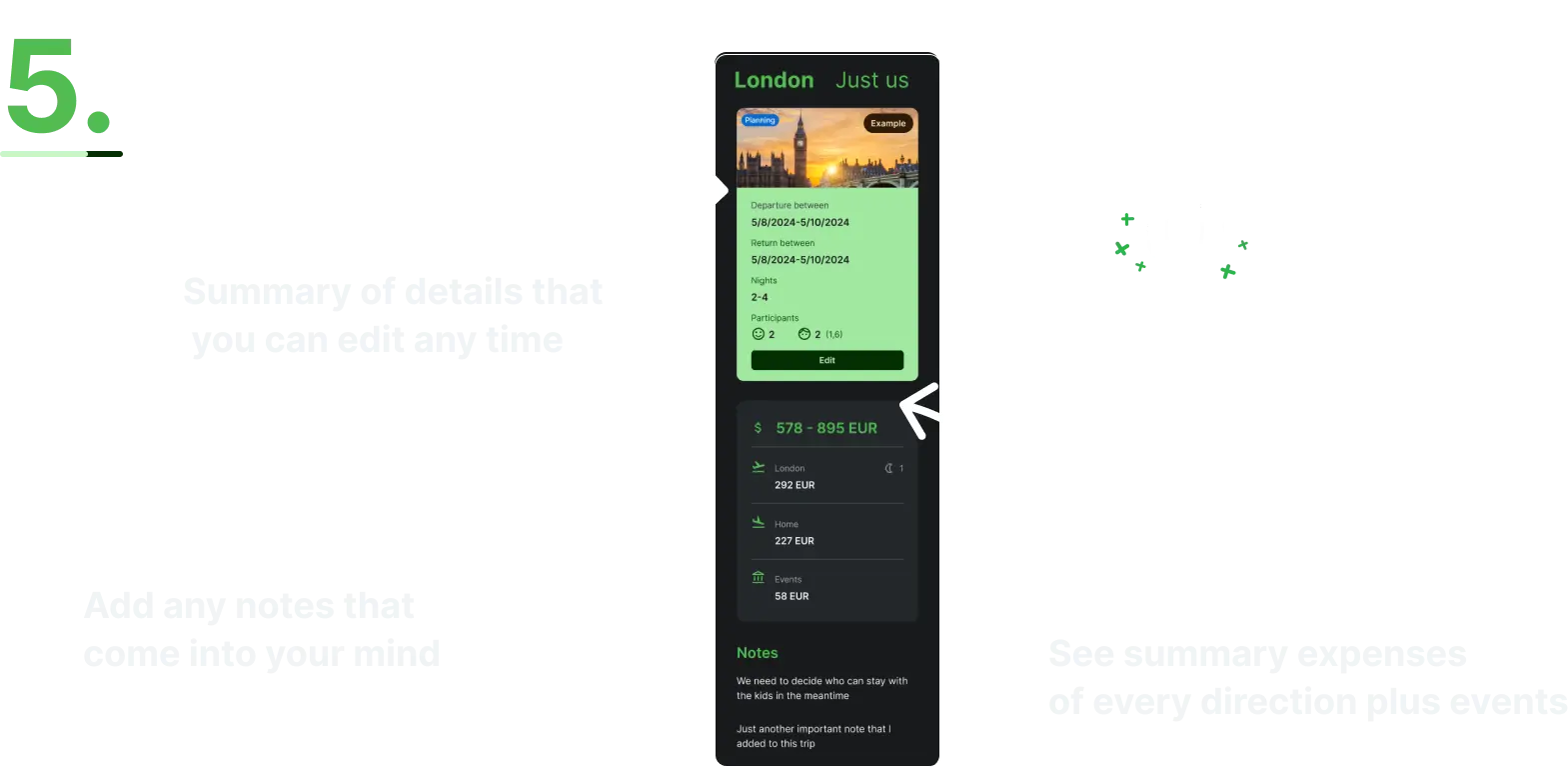
5. See the whole trip with the costs tallied up
The summary adds up whatever you currently have selected — accommodation, transport, getting around, events — and shows it as one figure, broken down per leg. Where you have given a range, the total is a range too.
This is the number that is always missing from the group chat. Change one selection and it updates, so "what if we skip the second night?" becomes a question you answer in a second rather than argue about.
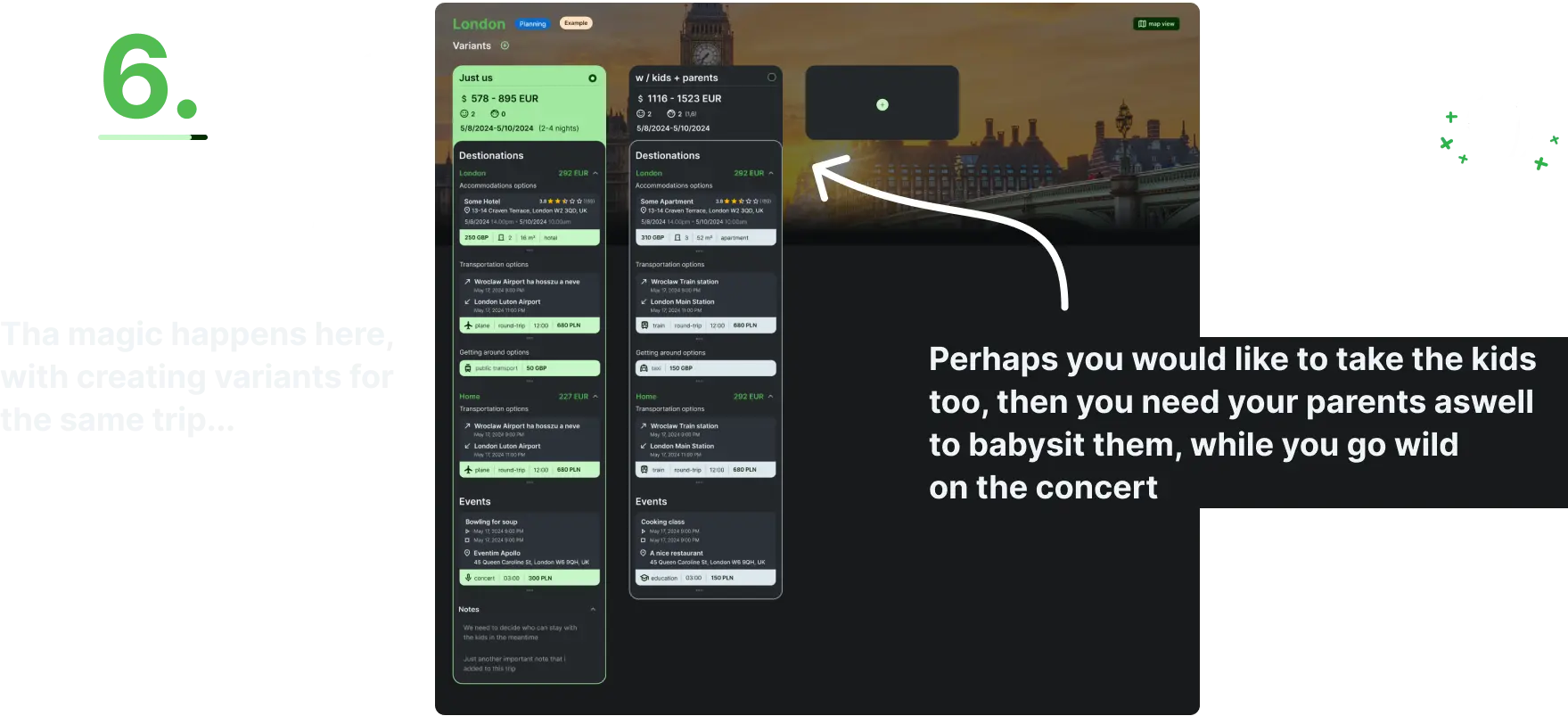
6. Compare variants of the same trip side by side
A variant is a complete alternative version of the same trip: drive instead of fly, stay two days longer, bring the kids and the grandparents. Duplicate the one you have and change only the parts that differ.
Then put them next to each other, with their totals, and see what each option really costs. This is the feature the app exists for, and it is the thing a linear itinerary planner cannot do.
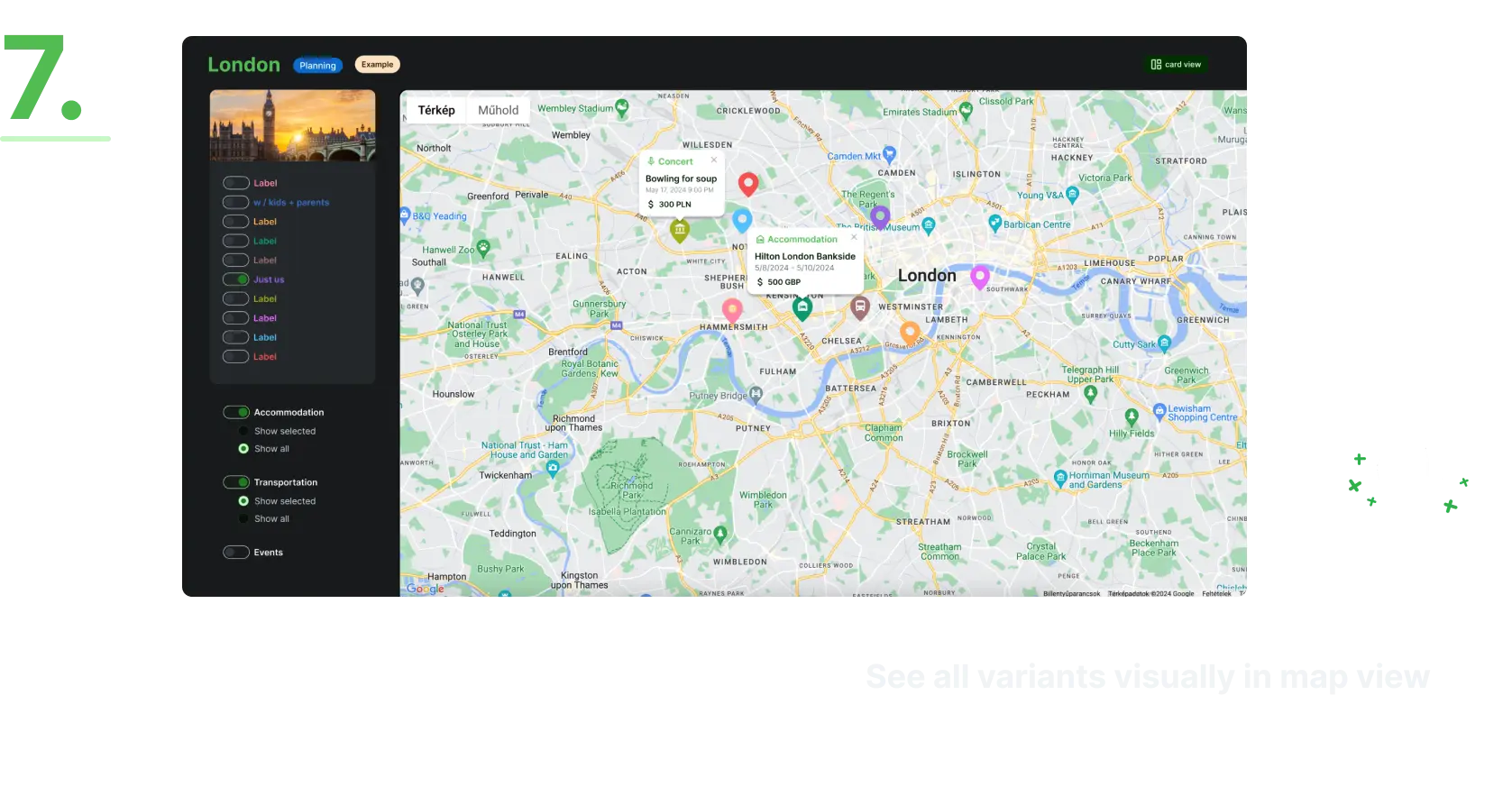
7. See every variant on one map
The map plots the destinations and options of your variants together, so distance stops being abstract.
Two hotels that looked equivalent in a list turn out to be on opposite sides of the city from everything you wanted to do, and the decision tends to make itself.
Explore it yourself
Your benefits from the application

Plan detailed trips
Hold every details at one place

Create variants for the same trip
Same trip but different details to compare

Compare variants in one view
No need for excel sheets or hand written notes

See everything on one map
Multiple options all in a single place
Plan a trip as a group
Everyone can add options and vote for the best

Add and share with friends/family
Solve everything at one place
Ready to join?

The story
The project started as usually when I'm planning a family vacation or even just a weekend getaway I end up with a bunch of different notes and spreadsheets with the options, while still relying a great bunch on my memory (let's not get into how effectively) to remember whether it was option 2 or 3 with the breakfast included; or how many bags did I count for the cost of the flight?
I wanted a better way, and "My Next Adventure" was born. I'm actually writing these lines from my first vacation planned on the app, and this time I can be sure that we chose the best option.
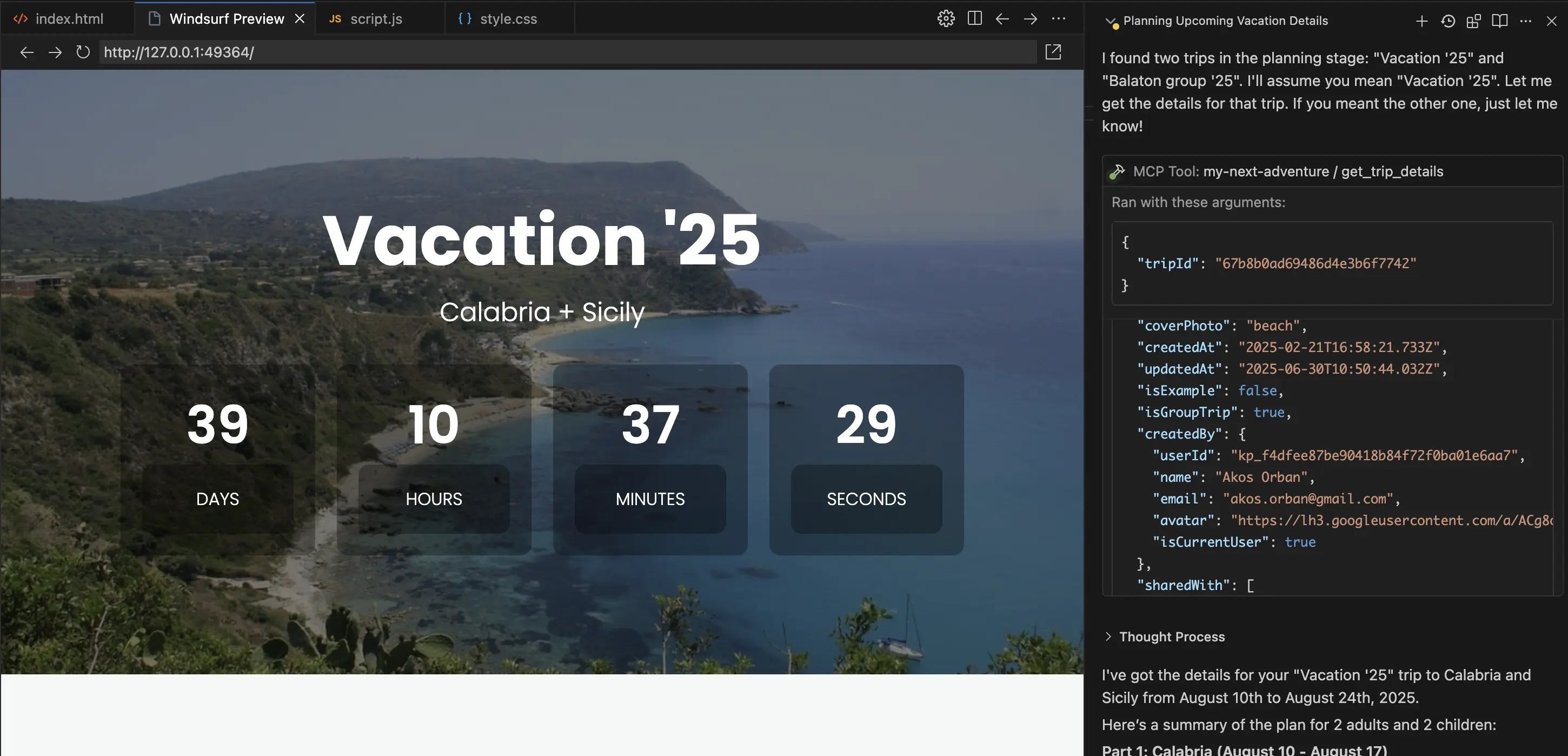
API, CLI and MCP access
Plan from your assistant through our MCP server, or from the terminal with the mna CLI. Both are in the free tier — all you need is an API key.
Pick your plan
Free
Free
Plan trips with limited features for free
3 variants per trip
past trips available for 3 months
API, CLI and MCP access
see detailed comparison below
Sign up for freePremium
$8/mo
Every feature, one flat price
unlimited variants per trip
past trips available forever
collaborate with others
see detailed comparison below
Start with a free trialPlanning | Free | Premium | |
|---|---|---|---|
| Variants per trip | 3 | unlimited | |
| Accessing your past trips | up to 3 months you can access all if you subscribe to premium | unlimited | |
| Just paste a link or screenshot | in the free tier | ||
| API, CLI and MCP access | in the free tier |
Collaboration | Free | Premium | |
|---|---|---|---|
| Share your trips (read-only) | |||
| Group trip planning | |||
| Vote on options |
Customization | Free | Premium | |
|---|---|---|---|
| Built-in cover photos | 5+ | 10+ |
Questions people actually ask
Can Claude or ChatGPT use My Next Adventure?
Yes, two ways. If your assistant can run a shell (Claude Code and most coding agents can), install the open-source CLI — it ships with a ready-made Claude Code skill and is what we recommend. Otherwise, connect the hosted MCP server at https://mcp.mynextadventure.cloud (24 tools, streamable HTTP) from Claude Desktop, claude.ai or ChatGPT. Both use an API key from your account and drive the same trips.
Is there a command-line client?
Yes. The mna CLI is open source and installs with "npm install -g @mantacodedevs/mna-cli" or "brew install mantacodedevs/tap/mna". It has 64 commands covering the whole API, and every one of them supports --json.
Is My Next Adventure free?
There is a free tier: up to 3 variants per trip, past trips for 3 months, AI extraction from pasted links and screenshots, and access to the API, the CLI and the MCP server. Premium is $8 a month and adds unlimited variants, permanent access to past trips, and collaboration with voting.
How is it different from Wanderlog or TripIt?
My Next Adventure is built around comparing several complete versions of the same trip side by side, with the costs of each added up, and letting a group vote on them. Wanderlog and TripIt organise a single itinerary well, and neither offers an official MCP server or CLI. They are ahead of us on mobile apps, offline access and importing booking confirmation emails.
Is there a mobile app?
Not yet — My Next Adventure is a web app today, and it works in a phone browser. A mobile app is in the works, and you can get notified when it launches.
Get notified when the mobile app launches