
Use case
Choosing a trip as a group: stars, votes and the TV
By Akos Orban, the developer of My Next Adventure. It's free to try. Updated .
One person does the research and ends up with a long list. Everyone else has to live with the result, and nobody wants to read a table of twenty rows in a group chat. My Next Adventure puts the list on one map that everyone looks at together, and keeps track of what the group likes.
1. Put the options in one trip
Ask Claude or ChatGPT to save them for you (guides for Claude and ChatGPT), paste a booking link or a screenshot and let the app fill in the details, or add them by hand. Each option keeps its price, dates and link.
2. Go through them together on the TV
The trip owner opens the trip, goes to Review and presses Show on TV. It works with a Chromecast, a Google TV or any TV with a web browser, and your phone becomes the remote. There is nothing to install on the TV, and it is in the free plan. People you invited with edit or voter access can join from their own phones, so several phones can be remotes at the same time.
For places to stay:
- Star the ones somebody likes.
- Cross off the ones nobody wants. They can be brought back if someone changes their mind.
- Swipe goes through them one at a time: right to star, left to cross off.
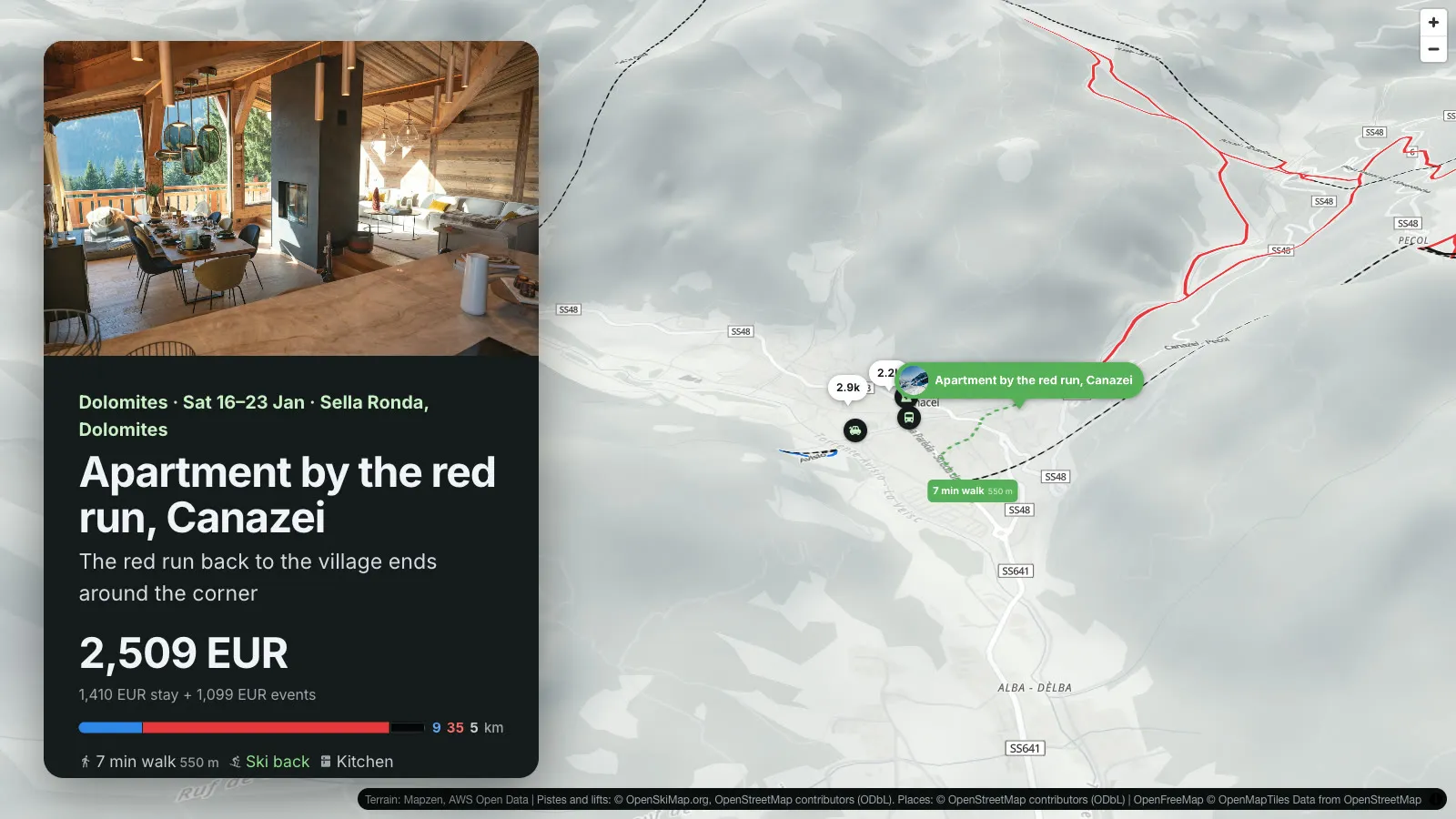
- Map shows every stay with its price. For ski trips the real pistes and lifts are drawn in, with the way to the lift as a route: on foot, or by car when the walk is long.
3. Compare the starred ones
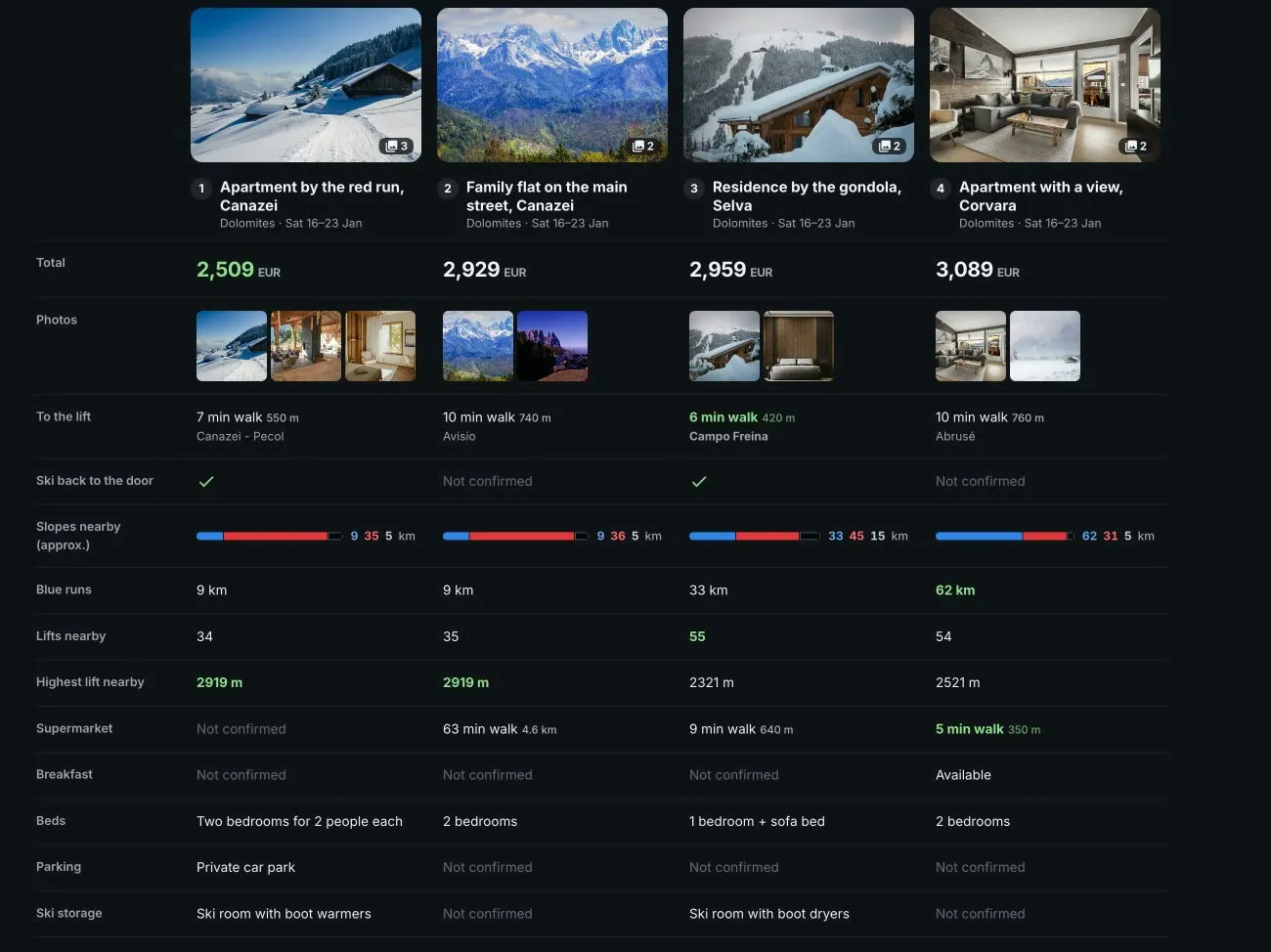
Compare puts the stays side by side, all of them or only the starred ones: photos, the total price and what it covers, size, guest rating, and for ski trips the way to the lift and whether you can ski back.
4. Let the others vote from their own phones
Not everyone is on the same sofa. Invite people to the trip by email or with a link, and give them edit, voter or view access. Voters can give each option, and each variant of the trip, a thumbs up or a thumbs down, and everyone on the trip can see who voted for what. Inviting people is part of Premium.
5. Book it and share it
Mark the winning stay as booked and it moves to the top of the Review list. A read-only link lets anyone see the plan without an account, for example the grandparents. Share links are free.
How it went for us
We chose our family ski week this way: 28 apartments in five villages, on the TV, with the whole family on the sofa. The question that decided it was one I would not have guessed: can the kids ski back to the door? On a map with the pistes drawn in, that took seconds. The full story.
What isn't great
- The map on a Chromecast is not as smooth as on a laptop. If your TV struggles, there is a switch to lower the resolution.
- Somebody still has to do the research first. This part only helps with deciding.
- AI assistants can save options for you, but voting and inviting people happen in the web app.
To try the stars, crosses and Compare without an account, open the sample trip.
The sample opens without an account.